
How do I check synthetic labels? First, test the check
How to check synthetic defect labels automatically
Test the check before you trust it: plant a fault it must miss and one it must catch. A box-on-the-change check, run on 70 synthetic defect images, passed the first control on all 70 and the second on only 46. So the number it had produced was withdrawn.
What Visynex isVisynex makes synthetic defect images for training machine vision inspection models. Each image is made from one photograph of a good part, and every defect image ships only if a separate detection pass finds the defect ordered.
What the check asked
Every synthetic defect image carries a bounding box. We wanted a cheap, automatic way to flag images where the box might be on the wrong spot.
The check compares each image with the reference photograph of the good part, aligned to the same frame. It takes the 0.5% of pixels that changed most and asks what share of them falls inside the box. A high share means the box sits on the change. A low share means it doesn’t.
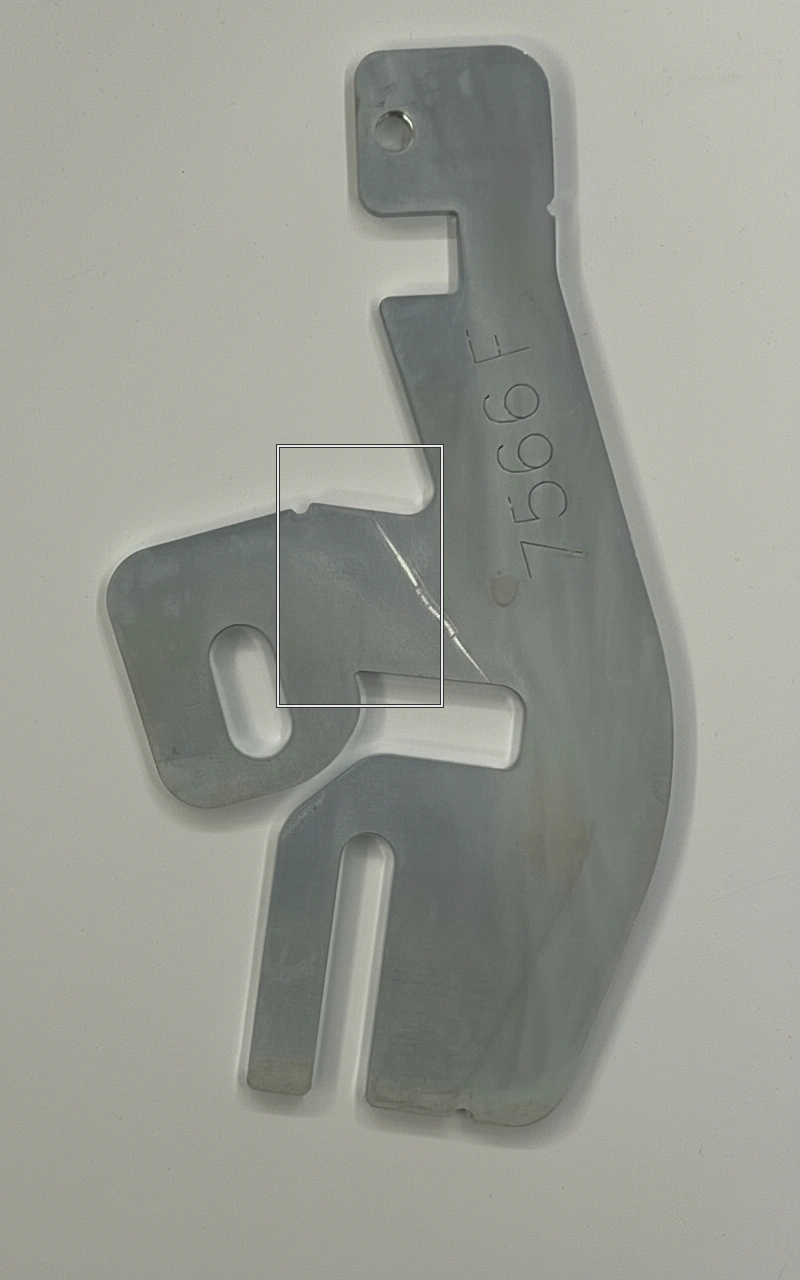
The two controls
On every one of the 70 delivered images of a laser-cut stainless steel bracket (our own test part), we painted a dark disc: 45 px radius, 80 grey levels darker, lightly blurred. It went at whichever of five fixed points was farthest from the image’s real defect. The rule was fixed before anything ran: pass both controls, or the number is not used.
- The fault it must miss: a box of the same size in the corner farthest from the disc. A working check scores it near 0. Ours never went above 0.1 on any of the 70, and the highest was 0.0. Passed.
- The fault it must catch: a box on the disc. A working check scores it near 1. We required at least 0.8 on each of the 70. Ours reached 0.8 on 40 of the 70. Failed.
- Then a fault in the check itself: it aligned each image on whichever image came first in the batch. With each image aligned on itself, it reached 0.8 on 46 of 70. Still failed.
Why it failed
The disc was not too faint: its median depth after clipping was 67 grey levels, and the faintest was 61. Alignment was part of it: with each image aligned on itself, 8 of the 30 failures passed, while 2 images that had passed now failed.
The rest was competition. On the 30 failures (under the original alignment), a median of about 1,100 pixels inside the real defect’s box changed more than the disc did. About 1,200 more elsewhere also changed more: small differences from re-rendering and alignment. The check keeps only the top 5,120 pixels, so a few thousand competitors are enough to push the disc out.
The number it had produced did not survive. Of the 26 images it flagged as “box off the change” (under 0.1), it could not find the planted disc either on 12.
What transfers to your own data
- A check that has only passed a negative control is not evidence. Ours did that perfectly.
- Check that the check’s own setup (here, its alignment) does not depend on what else is in the batch.
- Plant the exact fault the check exists to catch, at a realistic strength, and watch it fail.
- Fix the pass rule before you look.
- “The box is on the change” is not “the box is on the defect”. Anything else that changed between the reference and the image competes for the same pixels.
Limits
- One part, one check, 70 images.
- The check was ours, and what it lost to is specific to how our images differ from the reference. A check built differently might pass.
- The method, two controls and a rule fixed first, is the part that transfers.
Questions
How do I check synthetic defect labels automatically?
Before trusting any automatic check, show it can say both no and yes: plant a fault it must miss and a fault it must catch, fix the pass rule before you run it, and use its numbers only if it passes both.
Isn’t a check that never flags a wrong box good enough?
No. Ours never flagged the planted wrong box (0 of 70), and still missed the planted right one on 24 of 70. Passing only the negative control is not evidence.
Does “the box is on the change” mean “the box is on the defect”?
No. Anything else that changed between the reference photograph and the image competes for the same pixels, including the real defect and small differences from re-rendering.
Try it on your own part
Sign in with your work email, upload one photograph of a good part, and get up to 10 images of it back, labelled in YOLO and COCO. Each takes about a minute. Free, once per email address.
Try it freeTalk to an engineer
Thirty minutes with someone who built the pipeline. No upload, no account.
Book a call